Gameplay skill guide · verified July 15, 2026
MECCHA CHAMELEON Painting Guide
Painting is not just filling your character with a color. Good Hiders choose a believable spot, match the largest surface first, then use pose and stillness to make the disguise feel natural.
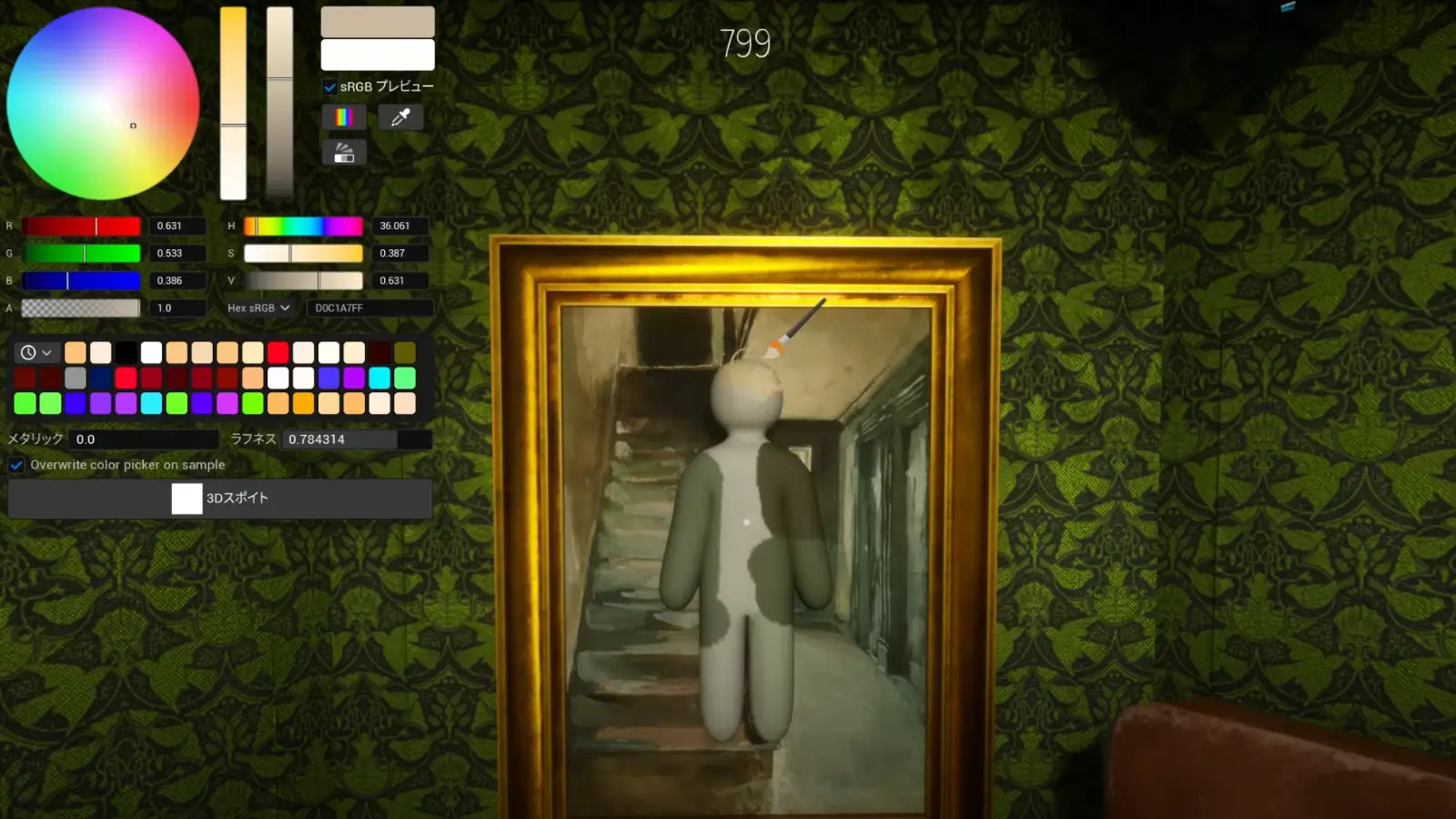
Quick wins
Three rules before you paint details
Process
A simple painting routine for Hiders
Read the room before painting
Look for walls, floors, props, lamps, shelves, corners, and dark areas that already match the kind of shape you can become.
Block in the main color
Start with the color that covers the largest part of the surface. A close broad match is more useful than perfect tiny marks on the wrong base.
Add only the details that matter
Use secondary colors for stripes, shadows, trim, and object edges only when a Seeker is likely to inspect that area closely.
Rotate into the environment
Turn your body so limbs and edges line up with furniture, corners, rails, or other shapes instead of pointing into open space.
Spot choice
Where painting works best
Beginner-friendly
Large flat walls
Easy to color match, but risky if your full outline is exposed. Use corners, trim, or nearby props to explain your shape.
Strong if believable
Furniture clusters
Tables, shelves, and clutter can hide imperfect paint, but odd angles stand out when Seekers scan silhouettes.
Advanced
Patterned areas
Patterns are powerful when matched well. If you cannot reproduce the pattern quickly, use a simpler surface instead.
Situational
Dark corners
Low light can cover small mistakes, but many Seekers check obvious corners first. Do not rely on darkness alone.
Avoid
Common painting mistakes
Practice
Four drills to improve faster
Tool safety
About auto paint and auto draw searches
Some players search for auto paint or auto draw because painting is hard under match pressure. Treat third-party downloads, scripts, and tools as unverified unless the developer clearly announces official support. The safer route is to improve your in-game routine and check official Steam or developer channels for any real feature changes.
FAQ
Painting questions players ask
What is the fastest way to get better at painting in MECCHA CHAMELEON?
Practice broad color matching first. Pick simple surfaces, match the dominant color, then add only one or two details after your pose and hiding spot make sense.
Should I focus on painting or hiding spot selection first?
Choose the hiding spot first, then paint for that exact spot. Painting and posing are strongest when they support a believable location.
Are auto paint or auto draw tools part of the official game?
Do not assume third-party auto paint or auto draw downloads are official. Use Steam and developer channels as the source of truth, and avoid tools that modify gameplay or ask you to run unknown files.
Why do Seekers still find me when my colors look close?
Seekers often notice silhouette, movement, or unnatural placement before they notice exact color. If your outline looks human, better paint may not be enough.